This is a very good reading if you are planning to venture into the unfamiliar Windows 8.1 (to be released on October 17).
This is a very good reading if you are planning to venture into the unfamiliar Windows 8.1 (to be released on October 17).

When you’re on the Internet, there are good reasons to have that eerie sense of being followed. And don’t think you have anonymity just because your service provider gives you a dynamic IP address. At a minimum, visited websites can tell what service provider you’re with and what city or region you are in.
What’s more, any communication with a Web server gives it the opportunity to deposit a cookie on your computer. Benign cookies — small text files downloaded through your browser — simply record information needed to make your Web experience better. That can include sign-in information, where you visited on the site, interface customizations, and the like. Most cookies also keep an identifier for each visitor, so that the next time you connect to a site’s server, it can match you up with its records of previous visits. That way, you won’t have to start from scratch whenever you go to the site.(…..read the whole story)
 Wakeup and sleep issues are common problems found in Windows Media Center (WMC), from XP to Windows 7 (perhaps Windows 8 as well). This particular problem is about sleep. The media center PC does not go back to sleep after recording.
Further investigation reveals that the PC can go to sleep properly (according to the power management settings) without WMC running. Using the following shows the culprit, a USB audio device prevents the system from sleeping when WMC is open.
‘powercfg -requests’
The above command, executed under admin rights, states that “an audio stream is currently in use” associated with the USB audio device. I use the following to tell the system to ignore it and go on to sleep after the pre-set time has elapsed.
‘powercfg -requestsoverride driver “USB Audio Device” system’
Be careful when you copy the above command from a web browser and paste it directly on the CMD prompt because the blank space inside the name of the driver is not really a ‘space’ when pasted onto the CMD prompt window.
If you have a different device that is causing the problem, just replace “USB Audio Device” with the exact device name in your case. Click here to see a similar situation.
More Info (July 2014)
There is another driver ‘Legacy Kernel Caller’ that causes the sleep problem after a recent refresh of the Windows 7 system. Apparently this is from the driver of the TV tuner card (perhaps a different version from the previous installation). Just use a similar ‘requestsoverride’ described above and the sleep problem should be fixed.
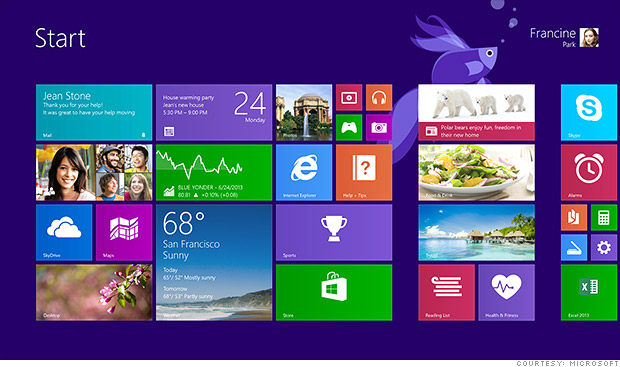
Microsoft on Wednesday released its first preview of Windows 8.1, a vastly improved update of its forward-thinking but flawed PC operating system.
On paper, the list of changes that Microsoft made to Windows 8.1 don’t seem all that major. No, the app tiles aren’t gone. Yes, the Start button is back, but not exactly as you remember it …………. (read the whole story)
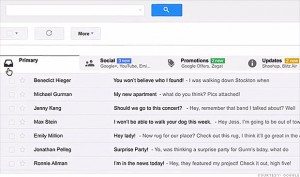 Over the next week, millions of Gmail users will notice that something’s changed. Just like the web browser containing it, Gmail will have tabs.
But it won’t be tabs for handling different accounts. Instead, the tabs will represent the new auto-sorting powers Google’s Gmail has been granted in an attempt to make your email more useful. You might say it’s an evolution of the spam blocker.
Leveraging years of data collection from Gmail accounts, Google (GOOG, Fortune 500) will be able to take notifications from services like Facebook (FB) and Twitter and file them away in a folder titled Social. Groupon (GRPN) deals and the never-ending onslaught of email from Fab will be tucked away in the Promotions folders……..(read the whole story)
 When you see an error ‘Unable to Clean’ on a Brother MFC printer, the following solution may help resolve the problem without bringing it in for service.
1. Machine off
2. Switch on the machine while holding down the “menu” button until all the leds are flashing on/off. Now you are in “maintenance” mode
3. Press 80
4. Press the “mono start” button several times until you see “purge: xxxx”
5. Press “2783” in order to reset the purge counter. You will see: “purge:0000”
6. Press the “stop” button
7. Press “99” to exit the maintenance mode
If pressing “99” does not exit the maintenance mode, just unplug and plug the power cord back to restart the printer. This solution works on MFC-420CN; it may work on other models as well.
 It is getting harder and harder to locate the temporary internet files for each new version of Windows and Internet Explorer. Most people know that temporary files, created while browsing the internet, are stored under some hidden folders (or specifically called ‘Temporary Internet Files’), the parent folder path will differ depending on the version of Windows/IE.
Even if you can find ‘Temporary Internet Files’ after turning on the settings to show hidden files and protected system files, you won’t be able to see all temporary files. There are many ways to get around this but I’ve found one of the simplest ways is to copy the above-mentioned folder to another location. All ‘super hidden’ folders and files will then be revealed.
In case some files are locked by other open programs, preventing them to be copied, you may consider using some utilities such as ShadowCopy that will copy files even they are in use. (Note: the system at the discussion is running Windows 7 and Internet Explorer 9)
Invest some time to go through this video. Upon completion you will know a lot more about Windows 8, a major revamped Windows version (at least at the user interface level). You will also find out that many old and traditional features are still there, just under a new skin.