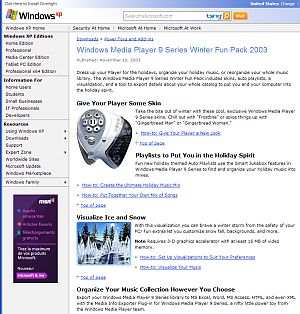
WMP 9 Series Winter Fun Pack 2003

This free download from Microsoft may be old but contains some very useful tools. Media Info Explorer allows you to export a list of all songs and the associated attributes in the media player to an external program like Excel. The list can then be tailored to whatever your requirements are. This works for WMP 11 as well on an XP system. Tests are required for Vista and later releases of Windows.

Related to this: be careful when updating a playlist (.wpl) in WMP. You need to actually show the list of songs in the library and drags them to the list pane. You cannot just drag the play list to the list pane and save it as an updated play list.
How to get sound working on Virtual PC 2007 with Vista guest OS

(This applies to hosting Windows 7 as well). Virtual PC 2007 added a new sound system specifically for using Vista as a guest and host OS.  But when you install Vista as a guest OS, there is no sound!  A search on Google and Live Search didn’t turn up anything about how to use it. 

Eventually I found that after you install the VM Additions, the sound driver is silently copied into the guest OS’s “C:\Program Files\Virtual Machine Additions” folder.  All you need to do to get sound working is “update” your audio controller driver within your Vista guest OS and tell it you Have Disk… and point it at that folder and voila!  Beautiful sound.  (without any restarts either).

Migrating MySQL from v4 to v5

Two key things about migrating your site from MySQL v4 to v5

(1) In oder to preserve the unicode encoding of foreign characters, make sure that the v5 database was created with DEFAULT CHARACTER SET utf8 and COLLATE utf8_general_ci (or altered to the above properties after creation) before re-creating the tables and restoring the data.

(2) Use plug-ins to backup and restore data instead of using the Export function of phpmyadmin; funny characters can appear if using the latter method for migrating data from MySQL v4.

Video Playlists for Vista Media Center

Vista Media Center

Vista Media Center

This is something that is not a secret, but is also not very widely known. I would imagine that it is because not too many people have a use for it or know how it could be used.

Of course, I’m talking about creating video playlists that can be used within Vista Media Center. I’m sure everyone knows what a playlist is, as they are most commonly used for music playback on just about any media player available. Anyway, I don’t like rambling that much, so I’ll get right into it. Continue reading

CD Discs – Mode 1 versus Mode 2

The basic red-book CD-ROM standard for audio CDs divides a CD into logical sectors that each contain 2352 bytes (the actual raw sectors contain additional bytes for error detection and correction and control). The yellow-book standard is an outgrowth of the red-book standard, and provides a standard format for storing computer data on a CD, otherwise known as a CD-ROM. The yellow-book standard defines two modes for storing data, named unimaginatively but practically, mode 1 and mode 2. Both start with the original red-book logical sector size of 2352 bytes. Mode 1 divides those 2352 bytes into 12 synchronization bytes, 4 header bytes, 2048 bytes of user data, and 288 bytes of EDC (error detection code) and ECC (error correcting code). Mode 2 divides the 2352 bytes into 12 synchronization bytes, 4 header bytes, and 2336 bytes of user data. Continue reading

Ontario Government Selects Open Text as Exclusive Single Vendor of Record for Enterprise Information Management

Open Text(TM) Corporation (NASDAQ: OTEX, TSX: OTC), a global leader in Enterprise Content Management (ECM), today announced that the Ministry of Government Services, representing the Government of Ontario, has established a 10-year contract for ECM solutions from Open Text, Canada’s largest software company.

Click here to read the whole article.